
Google Gemini can turn your favorite novels into child-friendly storybooks
A user shared how they used Gemini's experimental Storybook feature to create a 10-page illustrated adaptation of The Lord of the Rings for their child.
The short version
- The Storybook feature is an experimental tool within Gemini's Gems section.
- It automatically removes violence and simplifies language to suit younger audiences.
- Users can download the final output as a PDF for printing as a physical book.
- The tool includes a read-aloud feature that can be paired with Bluetooth speakers.
Why it matters
This provides a way for parents to share complex interests with children using AI-generated summaries. It demonstrates how LLMs can act as creative filters to modify copyrighted themes into safe, digestible content.
Adapting complex fantasy
A user recently shared a project where they used Google Gemini to bridge the gap between adult literature and children's entertainment. The goal was to share the epic scale of The Lord of the Rings with a 5-year-old child without the complexity or violence of the original text.
Because there is no official children's adaptation of the specific series, the user turned to AI to generate a custom version. The process involved using a prompt to describe the target age and requested that the AI include illustrations to keep the child engaged.
The result was a 10-page illustrated storybook that captured the essence of the source material while remaining accessible. The user noted that the AI successfully simplified the narrative, kept the chapters short, and used language appropriate for a young audience.
How the Storybook feature works
The Storybook feature is not part of the standard chat interface but is found within the Gems section of the Gemini web app and Android app. Users can find it by navigating to the Gem Manager or exploring the Gems menu to select the specific Storybook option.
Once selected, users can provide a unique prompt describing the plot, setting, target age, and specific characters they want to include. The user in this case provided minimal details, asking only for a story based on The Fellowship of the Ring for a 5-year-old.
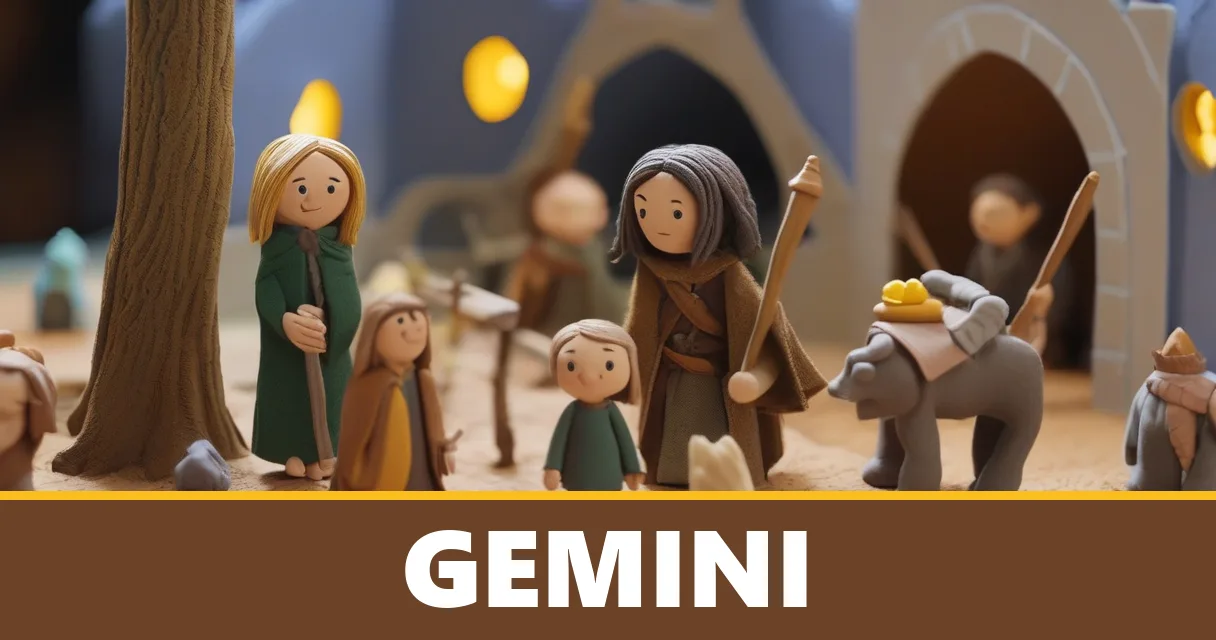
Gemini handles the heavy lifting by rewriting the story to remove mature themes and generating artwork for each page. It also provides a read-aloud option, which allows the story to be narrated in an entertaining tone for the listener.
Navigating copyright and content
When generating content based on famous works, the AI must navigate copyright restrictions. In this specific instance, Gemini did not use the exact characters or settings from the original book to avoid infringement issues.
Despite these restrictions, the AI produced a story that felt very close to the source material. For example, it created a character named "Pipkin" who functioned similarly to Frodo, and a wizard who looked nearly identical to Gandalf.
The user found that providing as much detail as possible in the initial prompt helps the AI produce more reliable and specific results. They also suggested locking in a style guide once a prompt works well to maintain consistency across different pages.
From digital files to physical books
One of the most practical aspects of this workflow is the ability to move the content from a screen to a physical format. The user was able to download the generated storybook as a PDF file, which they then printed out to create a proper book.
This physical copy allowed the parent to point out specific scenes to their child while the audio played in the background. To enhance the experience, the user connected their phone to a Bluetooth speaker to provide a more immersive storytelling environment.
The user described the experience as a way to save time, money, and storage space compared to buying many different physical books. It serves as a reliable fallback for busy days when a parent needs a quick, engaging story that isn't available at a local store.
Limitations and best practices
While the tool is useful, the user cautioned that it should not be seen as a replacement for high-quality traditional children's books. They noted that while the AI is reliable for quick stories, the storytelling in professionally written books remains superior.
To get the best results, the user recommends reading the generated text aloud first to check the rhythm and flow. This ensures that the language is easy for a child to follow and doesn't feel disjointed or overly complex in certain sections.
The user ultimately views the Storybook feature as an underrated tool for personal projects. It offers a way to automate creative tasks, like creating a new story every weekend, while providing a personalized way to share personal interests with family.
Next steps for users
The Storybook feature is still considered experimental, meaning the results can vary significantly from one prompt to another. Users should experiment with different descriptions of plot and setting to see how the AI interprets their specific requests.
For those interested in trying it, the best approach is to start with basic stories to see how the child reacts to the images and the read-aloud voice. It is a way to create custom content on the fly that can be tailored to a child's specific interests.
As the feature evolves, it may become more refined in how it handles complex narratives and character consistency. For now, it remains a creative tool for parents looking for a quick way to generate unique, age-appropriate content.
Try it today
Open the Gemini web app, navigate to the Gems section, and try the Storybook option to create a 3-page story about a favorite hobby or animal.
Watch
How Google plans to handle copyright for more complex 'inspired by' prompts.
Whether the Storybook feature will receive more advanced image consistency updates.
How other parents are using the read-aloud feature for multi-room listening.
Sources and links
Liked it? Say why
Add a line for other readers.
No account needed. We never show your email. Comments with links, ads or abuse are held and not shown. Your comment shows after a quick check.
Listen to the AI Wire headlines
Listen to the AI WireListen to our daily AI shows every morning: on your commute, in the shower, wherever you are
Listen to the daily showsFirst reported by Android Police · Read the original. Written by the SI Agent News Desk from the reporting above.Written with AI from the source above. Every number is checked against the source. Spot a mistake? Corrections.